

For reconciliation, bookkeeping, and underwriting, the right choice is a financial extraction API that combines OCR with table reconstruction, balance verification, and structured JSON output. Raw OCR alone is not sufficient: bank statements require column detection, running-balance checks, and per-field provenance before the data is trustworthy enough to feed an accounting system or a loan decision.
Three classes of tools are worth evaluating:
- Prebuilt Document AI models (e.g., Microsoft Azure Document Intelligence): cloud-managed, schema-documented, production-ready for enterprises already on Azure.
- Specialized bank-statement extraction APIs (e.g., Veryfi, Fintract, HyperVerge): purpose-built for financial tables with reconciliation flags and export options.
- Hybrid open-source pipelines (e.g., bankstatementparser): deterministic parsers for structured formats, LLM/vision fallbacks for messy scanned PDFs.
Pro Tip: Before evaluating any tool, confirm it returns a reconciliation flag (opening balance + credits − debits = closing balance). If it does not, the output is unverified data, not auditable financial records.
Key Takeaways
Bank statement OCR is only as reliable as the pipeline behind it: reconciliation, provenance, and preprocessing determine whether extracted data is auditable.
| Point | Details |
|---|---|
| Reconciliation is the acceptance gate | Require a reconciles flag (Golden Rule check) before any extracted data enters an accounting or lending system. |
| Preprocessing beats engine swaps | Meeting documented input limits (300 DPI, supported formats, correct page count) improves accuracy more than switching OCR vendors. |
| Hybrid pipelines reduce cost | Route structured formats (OFX, CAMT) to deterministic parsers; use OCR and LLM fallbacks only for scanned or unstructured inputs. |
| Provenance enables audits | Per-field bounding-box citations make extracted data defensible in lending reviews and financial audits. |
| CR Equity Ai Inc applies this approach | CR Equity Ai Inc’s underwriting platform uses automated document processing to support faster loan decisions for real estate investors and business owners. |
Table of Contents
- What Is Bank Statement OCR, and Which Fields Should You Expect?
- How Does a Bank Statement OCR Pipeline Work End to End?
- Which Bank Statement OCR Tools and APIs Should You Shortlist?
- What Features and File Formats Should a Production Solution Support?
- What Security and Compliance Controls Should You Require?
- How Do You Choose the Right Bank Statement OCR Solution?
- How to Convert a Bank Statement to Excel or CSV for Reconciliation
- What Input Requirements and Preprocessing Steps Most Affect OCR Accuracy?
- An Editorial Note on Where Automation Actually Breaks
- When Automated Document Processing Supports Your Loan Application
- Sources
- FAQ
What Is Bank Statement OCR, and Which Fields Should You Expect?
Bank statement OCR is the automated process of reading a bank statement, whether a scanned image or a digital PDF, and converting it into structured, machine-readable data rows with named fields. The term “OCR” (Optical Character Recognition) is technically one stage of a larger pipeline; in practice, “bank statement OCR” refers to the full extraction workflow from raw document to structured output.
The fields a production-ready solution should extract include:
- Statement period (start date, end date)
- Account number (masked, e.g., ****1234)
- Account holder name
- Opening balance and closing balance
- Transaction date per row
- Transaction description (merchant name, memo, reference)
- Debit amount and credit amount per row
- Running balance after each transaction
- Fees (service charges, overdraft fees, wire fees)
- Check numbers where applicable
- Deposit details (source, amount)
Three terms matter here. Field-level citation means each extracted value is linked back to its bounding box on the source page, so an auditor can verify where the number came from. Reconciliation flag is a pass/fail result of the Golden Rule check: opening balance + total credits − total debits = closing balance. Transaction reconstruction is the process of reassembling multi-line or page-spanning transaction rows into single, complete records.
Digital-native PDFs (text-layer PDFs from online banking portals) skip the image-recognition step entirely; a parser reads the embedded text directly. Scanned PDFs and images (JPG, PNG, TIFF) require full OCR before parsing. Accuracy tends to be higher for digital-native inputs, and throughput is faster.
How Does a Bank Statement OCR Pipeline Work End to End?
A complete bank statement OCR pipeline runs five stages: ingest → OCR/read → parse/reconstruct → validate → export. Each stage has distinct failure modes, and skipping validation is the most common production error.
The pipeline branches at the ingest stage based on input type:
- Deterministic path: structured formats (CAMT, OFX, MT940, PAIN.001) contain machine-readable transaction data. A deterministic parser extracts fields directly without OCR, at near-perfect accuracy and low cost.
- OCR + ML/LLM fallback: scanned PDFs and image files require OCR to convert pixels to text, followed by ML or LLM-assisted parsing to reconstruct table columns, merge split rows, and normalize fields.
The bankstatementparser open-source project documents this routing explicitly: a smart_ingest() function sends structured files to deterministic parsers and routes everything else to vision or LLM models. Verification statuses come back as VERIFIED, DISCREPANCY, or UNVERIFIABLE, with bounding-box coordinates and a verbatim quote for each extracted value.
Table reconstruction is the hardest step. Bank statement tables rarely have clean column separators in scanned images. A good parser uses bounding-box geometry to assign each text fragment to a column, then merges multi-line descriptions into a single transaction row.
Fintract’s bank statement OCR pipeline returns a validation.reconciles flag alongside structured JSON. Non-reconciling results are flagged for review or rejected outright, which is the correct behavior for any production underwriting or accounting workflow.
Pro Tip: Run the Golden Rule check at the account level and at the page level. A statement that reconciles overall can still have a missing transaction on page 3 that is offset by an error on page 4.
Which Bank Statement OCR Tools and APIs Should You Shortlist?
The tools below represent the SERP consensus for bank statement OCR. Selection criteria: documented extraction fields, supported input formats, output options, interface type, security posture, and pricing signals. Each entry is assessed on those dimensions.
Notes on individual tools:
Veryfi’s Bank Statements OCR API publishes sample JSON outputs showing account metadata and transaction line items, which are meaningful trust signals during vendor evaluation. The web portal allows no-code uploads for testing before committing to API integration. Export to Excel and OFX makes it practical for accounting teams who do not want to write parsing code.
Microsoft Azure Document Intelligence’s prebuilt-bankStatement.us model combines OCR with deep learning to return structured JSON. The published schema on Azure Samples lists fields including AccountHolderName, StatementStartDate, Accounts.*.Transactions.*.Date, DepositAmount, WithdrawalAmount, and EndingBalance, which you can map directly to downstream schemas. The free tier processes only the first two pages of a document per call, which limits testing on multi-page statements.
HyperVerge OCR targets enterprises that process multiple financial document types and want a single vendor for KYC and statement extraction. It is not a self-serve product; pricing requires direct contact.
Emagia Bank Statement OCR is positioned for large organizations with existing back-office automation. Its strength is workflow integration rather than raw extraction accuracy, making it a fit for AP/AR teams rather than developers building custom pipelines.
LlamaParse takes a text-LLM-first approach: it attempts to extract structured data from digital PDFs using language model reasoning before falling back to vision models. This reduces cost on clean digital inputs but is less reliable on scanned statements with complex table layouts.
Bank Statement OCR (bankstatementocr.co) is a focused, single-purpose converter. It suits users who need a quick statement-to-CSV conversion without API integration. Security documentation and pricing are not publicly listed.
Lido Bank Statement OCR markets a free-page demo and Excel-first exports. It is a web UI product aimed at individual users rather than teams building automated pipelines.
Evernote’s OCR capability is general-purpose document capture. It makes PDFs and images searchable but does not reconstruct financial tables or produce transaction rows. It does not belong in a financial extraction pipeline; it belongs in a document management workflow.
What Features and File Formats Should a Production Solution Support?
A production-ready bank statement OCR solution needs more than character recognition. The feature set that separates reliable tools from basic converters includes:
- Per-field source citations: each extracted value linked to its page, bounding box, and verbatim text.
- Balance reconciliation: automated Golden Rule check with a pass/fail flag per account period.
- Multi-currency handling: correct parsing of currency symbols, decimal conventions, and negative amounts.
- Deduplication: stable transaction hashes to prevent duplicate rows during incremental ingestion.
- Export formats: CSV, Excel, JSON, and OFX for compatibility with accounting software and RPA tools.
- Integrations: direct connectors or webhook support for QuickBooks, Xero, NetSuite, and RPA platforms.
The table below maps common extraction fields to their typical JSON column names, using the Azure Samples schema as a reference:
Input format notes: Microsoft Document Intelligence supports PDF, JPEG, PNG, BMP, TIFF, and HEIF, with image dimensions between 50×50 and 10,000×10,000 pixels. Files below minimum resolution or above maximum size are rejected before processing. Most tools impose per-call page limits on free tiers; Azure’s free tier processes only the first two pages per call.
For scanned images, TIFF at 300 DPI is the standard minimum for reliable OCR. JPG compression artifacts around numbers are a known accuracy risk. Digital PDFs with embedded text layers bypass OCR entirely and produce cleaner outputs at lower cost.
What Security and Compliance Controls Should You Require?
The minimum trust signals before sending bank statements to any third-party API are: AES-256 encryption at rest, TLS 1.2+ in transit, SOC 2 Type II certification, a documented data deletion policy, and fine-grained API key scoping.
Bank statements contain account numbers, transaction histories, and balance data. In underwriting and lending workflows, this data is also subject to GLBA (Gramm-Leach-Bliley Act) safeguards, which require financial institutions and their service providers to protect customer financial information. HIPAA applies only when statements are processed as part of a healthcare billing or benefits workflow.
For underwriting pipelines specifically, least-privilege API key management matters. Keys used for statement ingestion should have read/write access to the extraction endpoint only, not to billing, user management, or other document types. Rotate keys on a defined schedule and revoke them immediately when a vendor relationship ends.
Data residency is a separate question from encryption. If your compliance program requires data to remain within US borders, confirm the vendor’s processing and storage regions explicitly. Many cloud OCR APIs default to multi-region routing.
Red flags to watch for:
- No published data deletion policy or a policy that retains raw files indefinitely.
- No SOC 2 evidence, or a SOC 2 Type I report presented as equivalent to Type II.
- Free-trial access that stores raw statement files without a clear retention limit.
- API keys with account-wide scope issued by default.
Banks and financial firms use OCR broadly for customer onboarding and document automation, as documented by EmergyS’s analysis of OCR in banking operations. That widespread adoption does not mean every vendor meets the compliance bar for regulated lending workflows.
How Do You Choose the Right Bank Statement OCR Solution?
The single most important criterion: does the tool produce reconciled, auditable transaction rows with per-field source citations? If the answer is no, the output requires manual verification before it can support a lending decision or a financial audit.
Evaluation checklist:
- Accuracy: does the vendor publish sample JSON outputs or a test dataset? Can you verify field-level accuracy against a known statement?
- Reconciliation support: does the tool return a reconciliation flag per account period, or does it return raw rows only?
- Throughput and SLAs: what is the documented processing time per page, and is there a published uptime SLA?
- Integration options: does it export to your accounting system (QuickBooks, Xero, NetSuite) or support webhook/RPA integration?
- Security and compliance: SOC 2 Type II, encryption specs, data deletion policy, and data residency.
- Pricing model: per-page, per-call, or subscription? Is there a free tier or demo for testing?
Vendor questions to ask during evaluation:
- Can you provide a sample API payload and response for a multi-page statement?
- How does the tool handle page-break transaction rows (a description that spans two pages)?
- What is the behavior when the Golden Rule check fails: flag, reject, or pass through?
- Is per-field provenance (bounding box + verbatim quote) included in the response?
- What is your data retention period for uploaded files, and how is deletion triggered?
Pro Tip: Request a test against a statement from your own institution before signing a contract. Bank layouts vary significantly by issuer, and a tool that performs well on Chase statements may struggle with a regional credit union’s PDF format.
Red flags: no sample outputs available, no reconciliation logic, no per-field provenance in the response schema.
For lenders specifically, automated approval workflows depend on parsed financial documents that carry auditable provenance. A tool that cannot demonstrate reconciliation is not production-ready for underwriting.
How to Convert a Bank Statement to Excel or CSV for Reconciliation
The fastest reliable path: use a bank statement extraction API that returns CSV or Excel with a reconciliation flag, then ingest the normalized output directly into your accounting system.
Step-by-step workflow:
- Prepare the input. Confirm the file is PDF, JPEG, PNG, BMP, TIFF, or HEIF. For scanned images, verify resolution is at least 300 DPI. Remove password protection before upload.
- Run OCR/extract. Submit the file to your chosen API. For digital PDFs, the tool will parse the text layer directly. For scanned files, OCR runs first.
- Run reconciliation checks. Confirm the API returns a
reconcilesflag. If the flag is false, review the discrepancy before proceeding. - Export and normalize. Download CSV, Excel, or JSON. Normalize date formats (ISO 8601: YYYY-MM-DD), amount signs (debits as negative), and currency symbols before ingestion.
- Ingest to your accounting system. Map JSON field names to your chart of accounts. Use a stable transaction hash for deduplication on incremental imports.
Pro Tip: Multi-page statements often split a single transaction across a page break. The description ends on page 2, the amount appears on page 3. A production parser must detect and merge these rows. Test this explicitly with a statement that has a page break mid-transaction before approving any tool for production use.
Pro Tip: For mortgage and lending document requirements, understanding what financial documents are needed for different borrower types, including documents for foreign national mortgage applicants, helps you scope the full document intake workflow before automating any single piece of it.
What Input Requirements and Preprocessing Steps Most Affect OCR Accuracy?
Following documented input limits and preprocessing rules often improves real-world field-level accuracy more than switching OCR engines. Engine selection matters less than input quality and pipeline architecture.
Microsoft Document Intelligence’s prebuilt bank-statement model documents specific constraints: supported formats are PDF, JPEG, PNG, BMP, TIFF, and HEIF; image dimensions must fall between 50×50 and 10,000×10,000 pixels; and the free tier processes only the first two pages per API call. Submitting a 12-page statement on the free tier returns data for pages 1 and 2 only, with no error or warning for the omitted pages. That behavior will silently truncate transaction history if you are not aware of it.
Practitioner tactics from open-source and vendor projects:
- Deterministic parsers first: if the input is a structured format (CAMT, OFX, MT940), parse it deterministically. Reserve OCR for genuinely unstructured inputs. The bankstatementparser project routes inputs via
smart_ingest()to avoid unnecessary OCR cost. - LLM/vision fallbacks for messy PDFs: digital PDFs with inconsistent column spacing benefit from LLM-assisted parsing before vision models. Vision models are the last resort, not the first.
- Golden Rule reconciliation as an acceptance gate: do not pass a statement to downstream systems until the opening + credits − debits = closing check passes. The bankstatementparser project returns
VERIFIED,DISCREPANCY, orUNVERIFIABLEper statement. - Bounding-box provenance: store the page number, bounding box coordinates, and verbatim text for each extracted value. This is the audit trail that makes extracted data defensible in a lending or compliance review.
Preprocessing checklist and verification coverage:
| Check | What to verify | Pass criterion |
|---|---|---|
| Resolution | Scanned image DPI | 300 DPI minimum |
| File format | Accepted by target API | PDF, JPEG, PNG, BMP, TIFF, HEIF |
| Page count | Within free-tier or paid-tier limit | All pages processed |
| Text layer | Digital PDF vs. scanned | Text layer present = skip OCR |
| Reconciliation | Golden Rule check | reconciles: true |
| Provenance | Per-field bounding box | Present in response JSON |
| Deduplication | Transaction hash | Stable hash per row |
A pseudo-API loop for a production ingest looks like this: submit file → receive JSON with validation.reconciles flag → if reconciles: false, route to manual review queue → if reconciles: true, normalize fields and export to accounting system. Fintract’s pipeline documentation describes exactly this pattern, including the rejection behavior for non-reconciling results.
An Editorial Note on Where Automation Actually Breaks
Bank statement OCR works reliably in controlled conditions. Production is not controlled.
Two failure modes appear consistently in real underwriting workflows. First, scan quality degradation: a borrower submits a statement photographed on a phone at an angle, under fluorescent lighting, with a thumb partially covering the balance column. No OCR engine recovers that cleanly. The fix is upstream: require PDF downloads from the bank portal, not phone photos, and validate resolution before the file reaches the API.
Second, bank layout drift: financial institutions update their statement templates without notice. A parser trained or tuned on a bank’s 2024 layout will misalign columns when that bank rolls out a new template in Q1 2026. The symptom is a reconciliation failure on statements that previously passed. The detection method is monitoring the reconciles flag rate over time; a sudden drop in pass rate for a specific institution is the signal.
A common reconciliation failure in practice: a multi-page statement where the opening balance on page 1 and the closing balance on the last page are extracted correctly, but three transactions on page 4 are missed because the page was skewed during scanning. The Golden Rule check fails, the discrepancy is flagged, and a reviewer catches it. Without the reconciliation flag, those three transactions would have been silently absent from the exported data.
The tools that handle these failure modes best are the ones that make failures visible, not the ones that claim the highest accuracy on clean inputs.
When Automated Document Processing Supports Your Loan Application
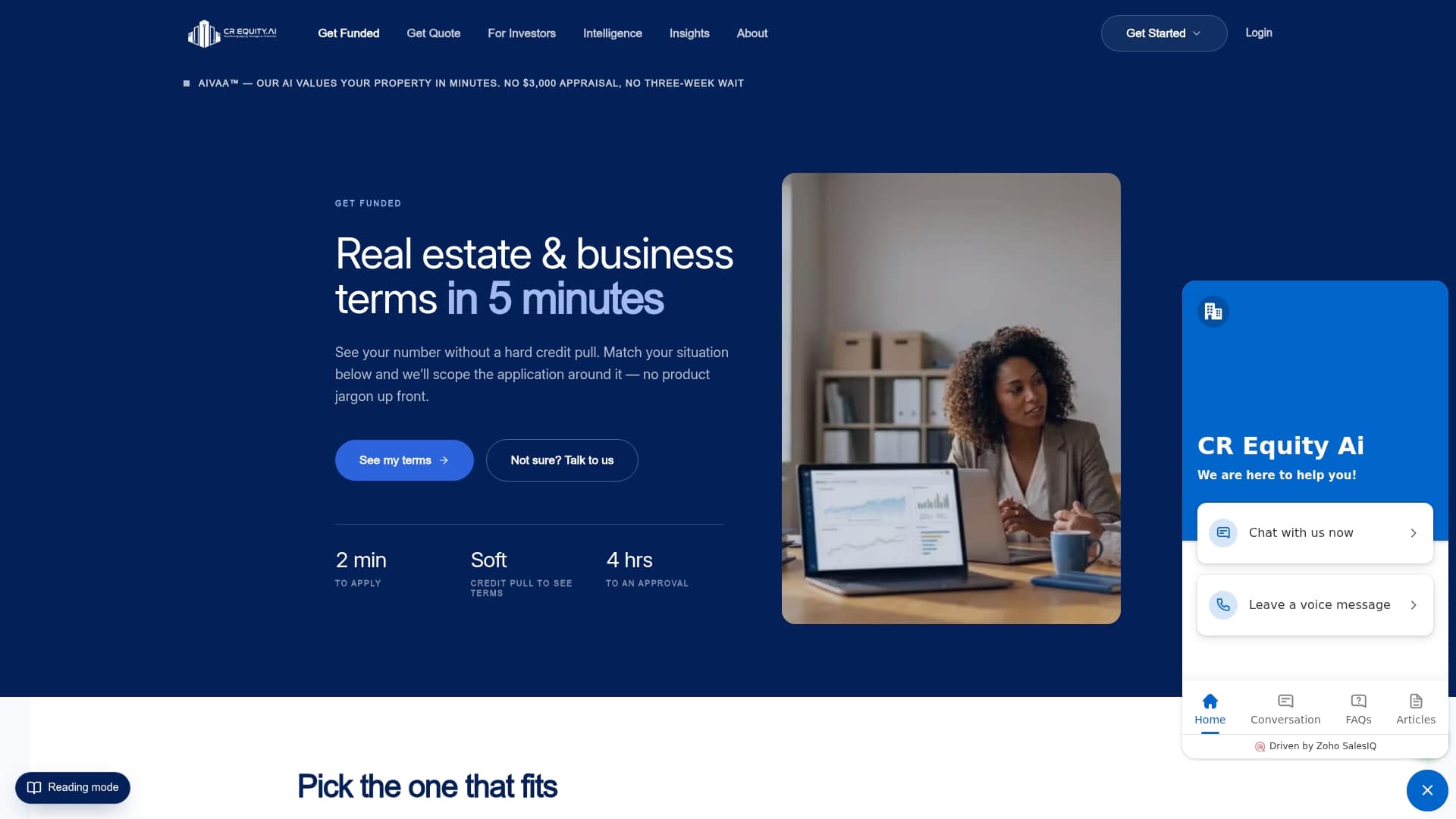
The tools covered in this article extract and verify bank statement data. CR Equity Ai Inc is what happens after that data is ready. As a direct private lending platform, CR Equity Ai Inc underwrites the asset and the deal, not just the borrower’s paperwork. Automated document processing shortens the intake window; CR Equity Ai Inc’s underwriting team takes it from there, with decisions in as little as 4 hours on most programs.
For real estate investors, business owners, and brokers who have their financial documents in order and need capital fast, CR Equity Ai Inc offers commercial real estate loans, bridge financing, and business funding across the full deal lifecycle. Programs include fix-and-flip, DSCR refinance, ground-up construction, and business loans up to $10M with no property required. To see what your deal qualifies for, get a loan quote directly on the platform.
Sources
The sources below are the primary references used in this article. Vendor documentation is the most reliable starting point for testing and acceptance criteria: use the published schema to build your field-mapping tests, and use the input-requirements page to set your preprocessing checklist.
- OCR for Bank Statements — Microsoft Learn
- Bank Statement OCR — Fintract
- bankstatementparser — GitHub
Use vendor documentation as your acceptance criteria source. If a vendor cannot point you to a published schema and input-requirements page, that absence is itself a signal about production readiness.
FAQ
What is OCR in bank statements?
Bank statement OCR is the automated extraction of structured financial data, including transaction dates, amounts, descriptions, and balances, from a bank statement image or PDF. It converts unstructured document content into machine-readable rows for reconciliation, bookkeeping, or underwriting.
What does OCR mean in banking?
In banking, OCR (Optical Character Recognition) refers to technology that reads printed or handwritten text from documents and converts it to digital data. Banks use it for customer onboarding, document automation, and statement processing, though domain-specific parsing is required to produce reliable transaction rows.
Can I use AI to analyze my bank statements?
Yes. Tools like Microsoft Azure Document Intelligence, Veryfi, and Fintract use AI-powered models to extract, reconstruct, and validate bank statement data. The most reliable results come from pipelines that combine OCR with balance reconciliation and per-field provenance, not from raw character recognition alone.
Do banks use OCR?
Banks use OCR broadly for document automation and customer onboarding workflows. However, producing auditable transaction rows from statements requires financial-domain parsing and reconciliation on top of basic OCR, which is why specialized extraction APIs and prebuilt document intelligence models exist as a separate category.